

Beat Fear of Technology: A 2 Hour Daily Plan for Women 45–65
Fear of technology, in practical terms, is not a phobia. It’s the freeze you feel when a login screen, a payment setup, or an unfamiliar app makes you close the laptop instead of finishing the task. The fix starts small: right now, open your email and send yourself a test message, or bookmark one tutorial you’ll watch tonight. That single five-minute win is how the freeze starts to thaw, one repeated action at a time.
TL;DR:Using a password manager and enabling two-step verification can significantly reduce frustration caused by forgotten passwords and security fears.Breaking tasks into small, repeatable steps and practicing on sandboxes helps build confidence without overwhelming cognitive loads.Simple design choices, like increasing font size and turning off unnecessary notifications, lower cognitive barriers and improve ease of use.Watching tutorials once without clicking and then pausing to follow along boosts understanding and reduces feelings of being lost.Focusing on completing one manageable task each day, such as setting up an email or privacy settings, creates momentum and reduces anxiety.
Freedom After 45Build Confidence With A Clear WorkflowFreedom After 45 offers a step-by-step 2-Hour Workflow blueprint for women over 45 seeking recurring income without traditional barriers.Explore the 2-Hour Workflow
Table of Contents
- What Fear of Technology Really Means for Beginners
- Why This Fear Happens: The Real Causes Behind the Freeze
- Five Quick Wins to Finish This Week
- Your First Two Weeks: A 2-Hour Daily Starter Plan
- Fixing the Blockers: Passwords, Privacy, and Scams
- A Few Words of Encouragement
- How the 2-Hour Workflow Helps If You Want Guided Support
- Sources
What Fear of Technology Really Means for Beginners
Fear of technology, in the sense that matters here, is not a clinical condition and it’s not about robots or artificial intelligence taking over anything. It’s practical tech intimidation, the stuck feeling that hits when a screen looks unfamiliar and your brain decides the safest move is to close the tab. Researchers studying older adults call this “innovation resistance,” and it shows up as hesitation before signing up for a tool, publishing a page, or setting up a way to get paid online.
The standard term for the broader condition, technophobia, describes a deeper, often irrational aversion to machines and digital systems generally. What you’re likely dealing with is narrower and far more fixable: a skills-and-confidence gap around specific tasks, not a fear of technology itself. That distinction matters because the solutions are completely different. You don’t need therapy. You need a sequence of small wins.
Why This Fear Happens: The Real Causes Behind the Freeze
You’re not bad at this. Interface complexity, cognitive load, and low digital literacy are documented, consistent reasons older adults hesitate with new tools, not personal failings. A scoping review of digital health adoption found that usage and functional barriers, things like multi-step logins and cluttered menus, are the most common reasons people avoid technology altogether, regardless of how smart or capable they are.
Each barrier blocks a specific income-building step:
- Interface complexity stops you at the signup screen before you even create an account.
- Cognitive load (too many decisions at once) makes publishing your first page feel impossible.
- Low digital literacy turns automating a payment link into a guessing game.
- Privacy and security worry makes you avoid tools that ask for personal or financial information.
- Low social support means you’re troubleshooting alone, which makes every small glitch feel bigger than it is.
One survey of U.S. adults 55 to 80 found that ease of use and social influence, meaning simple design and seeing someone else succeed with a tool, were the strongest predictors of whether inexperienced users adopted new technology at all. In other words, confidence rarely comes from reading more. It comes from watching one person do the thing successfully, then trying it yourself.
Five Quick Wins to Finish This Week
Momentum beats mastery. Pick one task to finish today and save the rest for later in the week.
- Set up a free email account dedicated to your online work. Fifteen minutes, no decisions required.
- Choose one simple page template from a free builder and fill in just your name and one sentence about what you offer.
- Record a 30 second video introduction on your phone. Don’t edit it. Just get comfortable being on camera.
- Schedule one social or email post using a built-in scheduler instead of posting live. This removes the pressure of “right now.”
- Turn on basic privacy settings on whatever platform you just joined, so you’re not exposed while you learn.
Do the email and the privacy settings today. They take the least time and remove the most anxiety. Save the video and the scheduled post for later in the week, once you’ve built a little momentum.
For learning support, video tutorials work well because they show every click. Around 64% of adults 65 and older already use YouTube regularly, which makes it one of the most familiar places to start. IBM SkillsBuild offers free, self-paced digital skills courses built for people with no technical background, and many local libraries and community centers run in-person tech help sessions if you’d rather learn with another person in the room.
Pro Tip: Watch a tutorial once all the way through without touching your keyboard. Then watch it again, pausing to click along. Trying to follow and click at the same time is what causes most of the “I’m lost” moments.
Your First Two Weeks: A 2-Hour Daily Starter Plan
Confidence builds through repetition, not intensity. A scoping review on technology adoption barriers confirms that repeated, focused practice on one task at a time reduces the mental strain that causes people to give up.
Week 1, days 1 through 5: Spend your first hour each day on setup: email account, one page template, basic privacy settings. Spend the second hour watching one tutorial related to that day’s task and clicking along on a practice or sandbox account, not your real one, so mistakes cost nothing.
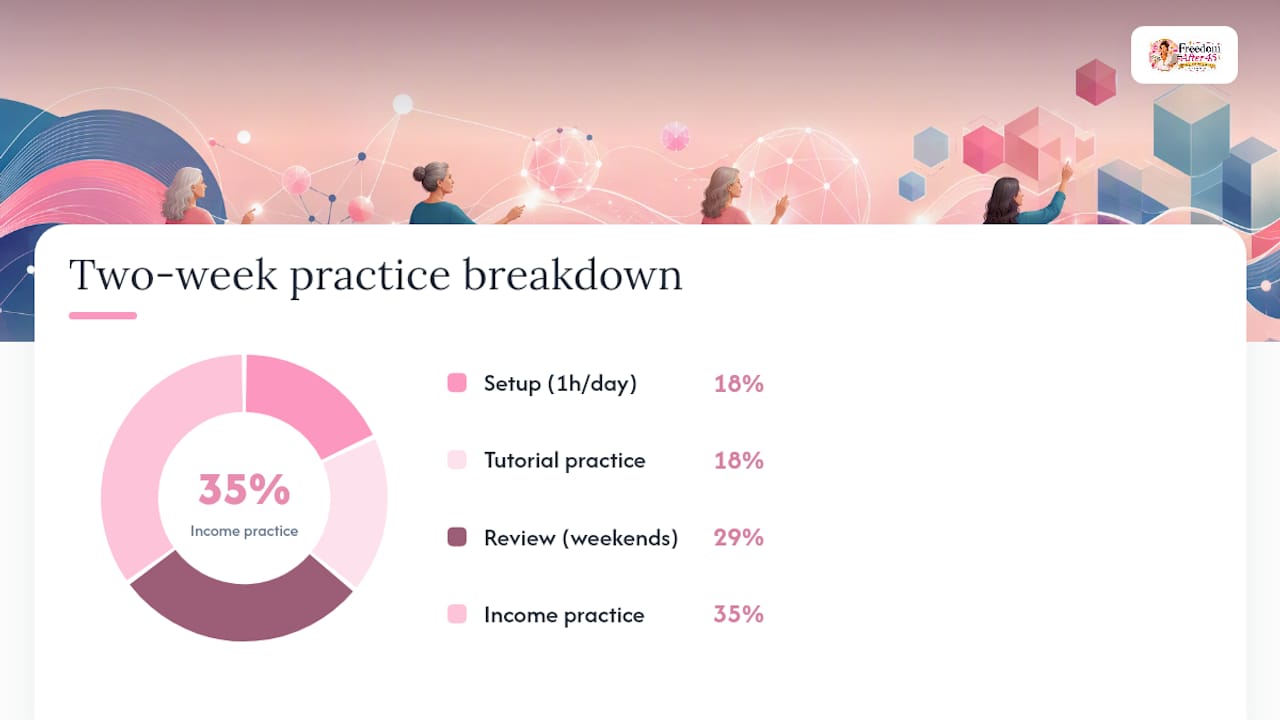
Week 1, days 6 and 7: Review only. No new tools. Reread your notes, resave anything you built, and note one thing that felt easier than day one.
Week 2, days 1 through 5: Move to income-oriented practice: draft one page of content, test a simple payment link with a $1 practice transaction if your platform allows it, and schedule one post for the following week.
Week 2, days 6 and 7: Full review. Walk through everything you built from the start, as if showing a friend. If you can explain each step out loud, it’s sticking.
A few rules make this workflow safer and less stressful:
- Practice on a sandbox or test account before touching anything tied to real money.
- Save your progress after every session so nothing feels lost if you close the browser.
- Set a minimum success metric for each session, like “I finished one task without quitting,” instead of judging yourself on speed.
Pro Tip: Keep a single notebook page per day with just three lines: what you did, what confused you, what you’ll try tomorrow. Rereading it after two weeks shows progress you’ll otherwise forget you made.
Fixing the Blockers: Passwords, Privacy, and Scams
Most tech frustration comes from a handful of fixable annoyances, not a lack of intelligence. A scoping review of adoption barriers points to small fonts, confusing multi-step logins, and unfamiliar jargon as the top culprits behind avoidance, and every one of them has a direct fix.
- Passwords: Use a password manager (built into your browser or phone) so you never have to remember dozens of logins.
- Two-step verification: Turn it on for email and payment tools. It adds ten seconds and blocks most unauthorized access attempts.
- Text size: Increase it in your browser or phone settings if squinting is part of why a site feels hard to use.
- Simplify settings: Turn off notifications and features you don’t use yet. A cleaner screen lowers cognitive load immediately.
- Scam awareness: Be wary of any tool demanding upfront payment before showing you real features, and verify a company’s reviews outside its own website before buying anything.
If you need help, ask a specific question instead of a vague one. “How do I reset my password on this exact screen?” gets a faster, clearer answer than “I don’t understand any of this.”
A Few Words of Encouragement
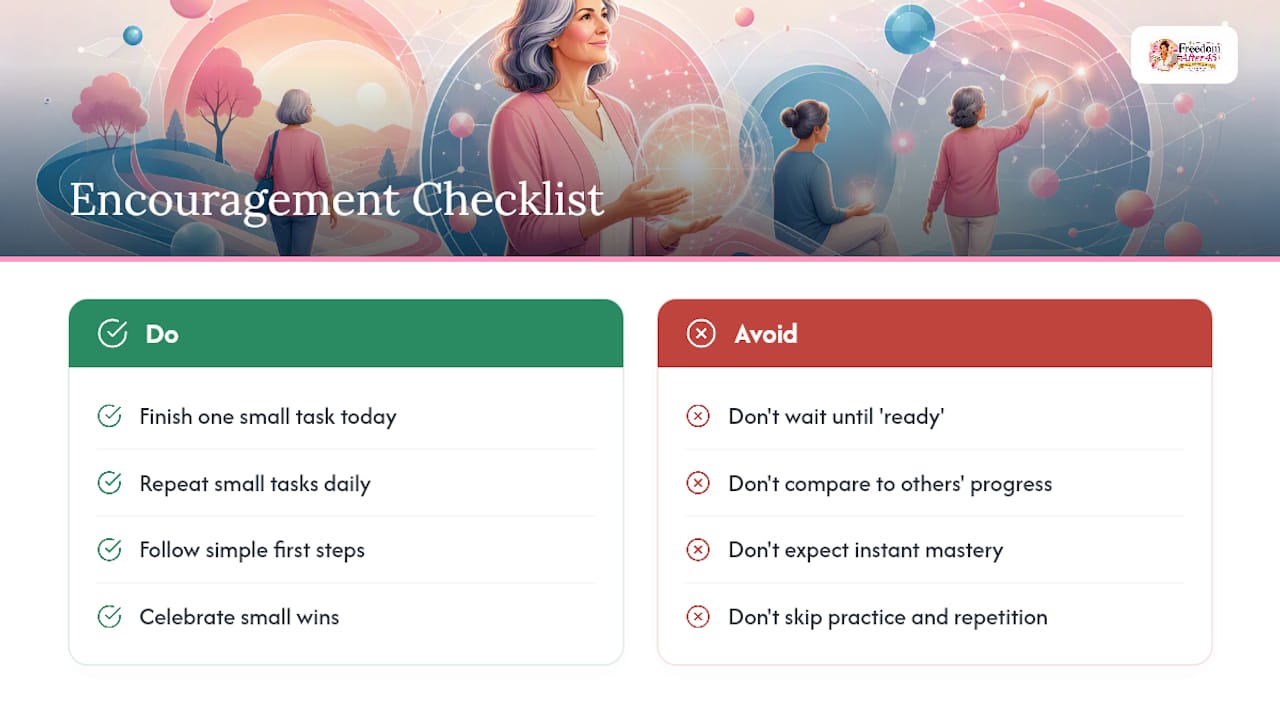
Every learner we’ve supported started exactly where you are: unsure, a little embarrassed, and convinced everyone else finds this easier. They don’t. One woman in our community spent her first week just learning to schedule a single email, then used that same skill to build her first automated sequence a month later. Small wins compound faster than they feel like they will.
Building comfort with new tools is less about talent and more about repetition and the right first steps, an approach Freedom After 45 built its entire program around. If you take one thing from this article, take this: you don’t need to feel ready. You just need to finish one small task today.
— Freedom After 45
How the 2-Hour Workflow Helps If You Want Guided Support
Freedom After 45’s course cuts out the guesswork by giving you the exact order of steps, so you never have to wonder what to click next. The 2-Hour Workflow is a step-by-step course and downloadable blueprint designed to help women over 45 learn how to work online without needing an existing following or a product of their own. It fits readers who’ve just finished the two-week starter plan above and want a structured path forward instead of piecing one together alone.

The blueprint includes video walkthroughs, real case studies, and access to a community of women working through the same process, so you’re never troubleshooting solo. A typical next step looks like this: visit the 2-Hour Workflow landing page, review the first module, and see whether the pace matches how you like to learn before committing further. If you’re ready to see the full plan laid out, start here.